

Every tournament keeps a running history — a timeline of everything that happened, from the engine pairing a round to you correcting a result at 4 p.m. Nothing changes quietly. When a parent asks why their kid got a bye, or an assistant wonders who reopened round 3, the answer is a click away instead of a shrug. This is the record most tools don’t keep, and it’s what makes corrections safe to make in the first place.
What lands on the timeline
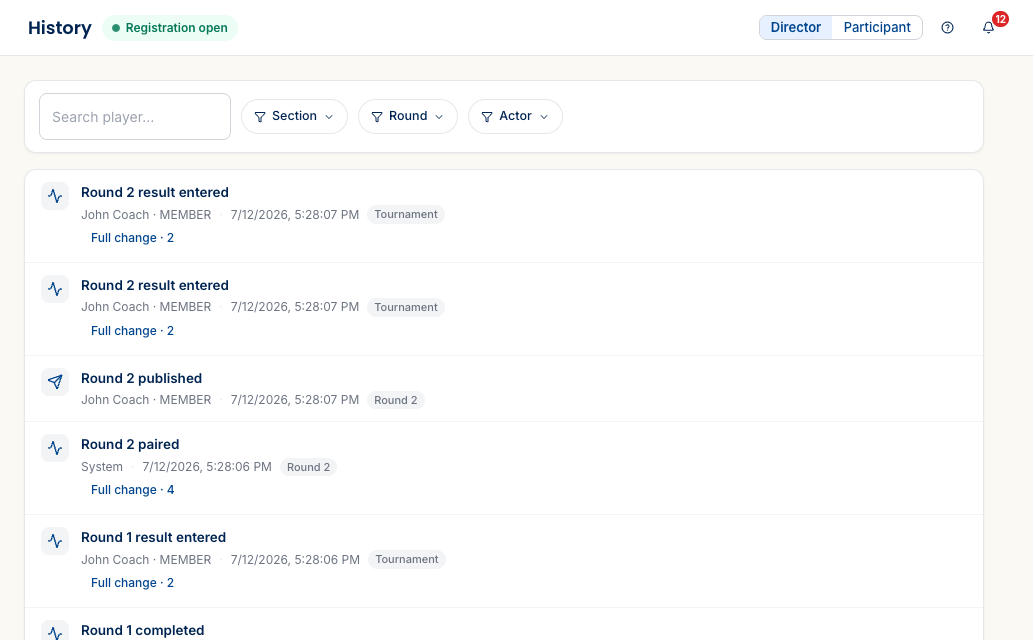
Open History from the tournament director sidebar. Each entry is one event, newest first, with its actor (a director by name, or System for anything the engine did), a timestamp, and a scope tag telling you whether it touched the whole tournament, one round, or one section. What shows up:
- Rounds — paired, published, reopened for corrections, marked complete.
- Results — entered, and every correction after the fact.
- Pairings — a manual swap, a hand-built matchup, a bye assigned or moved.
- The player pool — a late entry added, a withdrawal, a section transfer.
- Configuration — changes to settings that affect how the event runs.
- The engine’s own reasoning — System entries record why an auto-pairing came out the way it did.
Follow one player through the whole event
The real power is filtering. A Search player box narrows the timeline to a single entrant, so you can follow everything that ever touched their entry — every pairing, every result, every bye. Three dropdowns — Section, Round, Actor — stack on top of that, so “everything an assistant did in round 4 of the U1500” is a couple of clicks. When a question is about one kid, you don’t scroll the whole event; you filter to them.
The before-and-after
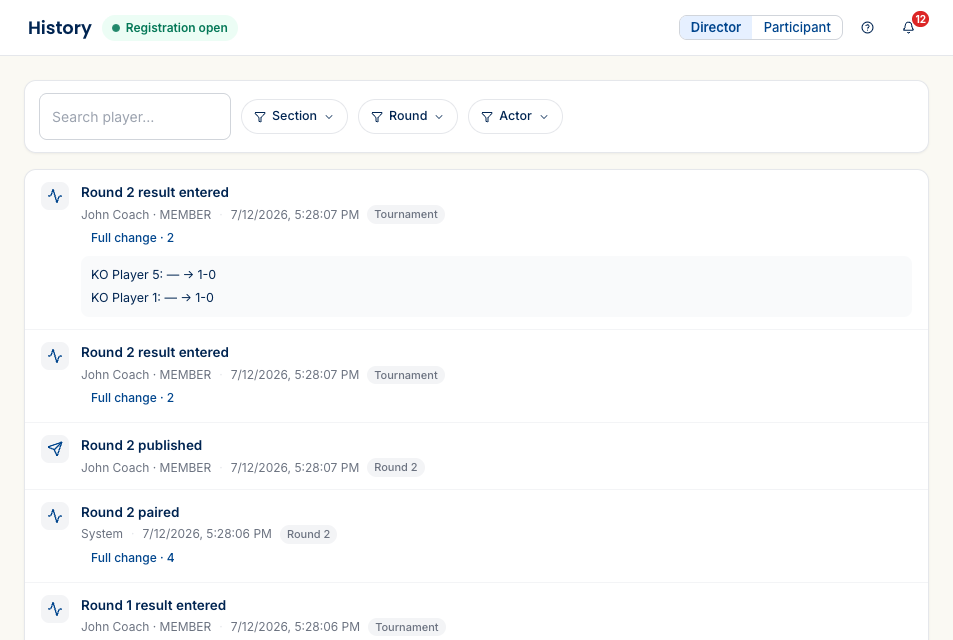
Any entry that changed data carries a Full change detail you can expand. Open it and you see exactly what moved — the old value and the new one, side by side (“KO Player 5: — → 1-0”). A corrected result shows the score that was there and the score you set; a reassigned bye shows the old holder and the new one. If you jotted a reason when you made the change, it rides along here too.
Why it matters
A spreadsheet forgets. The moment you overwrite a cell, the old value is gone and so is the story. Rook Ready keeps both — which means:
- Disputes have an answer. “What happened to my kid’s bye request?” is a filter and a timestamp, not a memory test.
- Assistants are accountable to each other. Two directors working the room can each see what the other changed, so nothing gets quietly overwritten.
- You can correct with confidence. Because every change is recorded, fixing a misread scoresheet doesn’t erase the original — it appends to the record.
What’s next
- Run your event, round by round — where these entries get made: pairing, scoring, and correcting.
- Adjust a round’s pairings — the change that records who moved and why.
Questions? The FAQ and support@rookready.com are here for you.
Updated July 13, 2026