

Running a full weekend Swiss single-handed is a lot. Rook Ready lets you bring on assistant directors who can work the floor — pair rounds and enter results — without handing over the keys to your whole club. Here’s how the roles split up.
You’re the chief TD
When you create a tournament, you’re its chief TD by default. That’s the top role: you can do everything, including the things that stay with you alone — publishing a round and changing tournament settings.
Add an assistant director
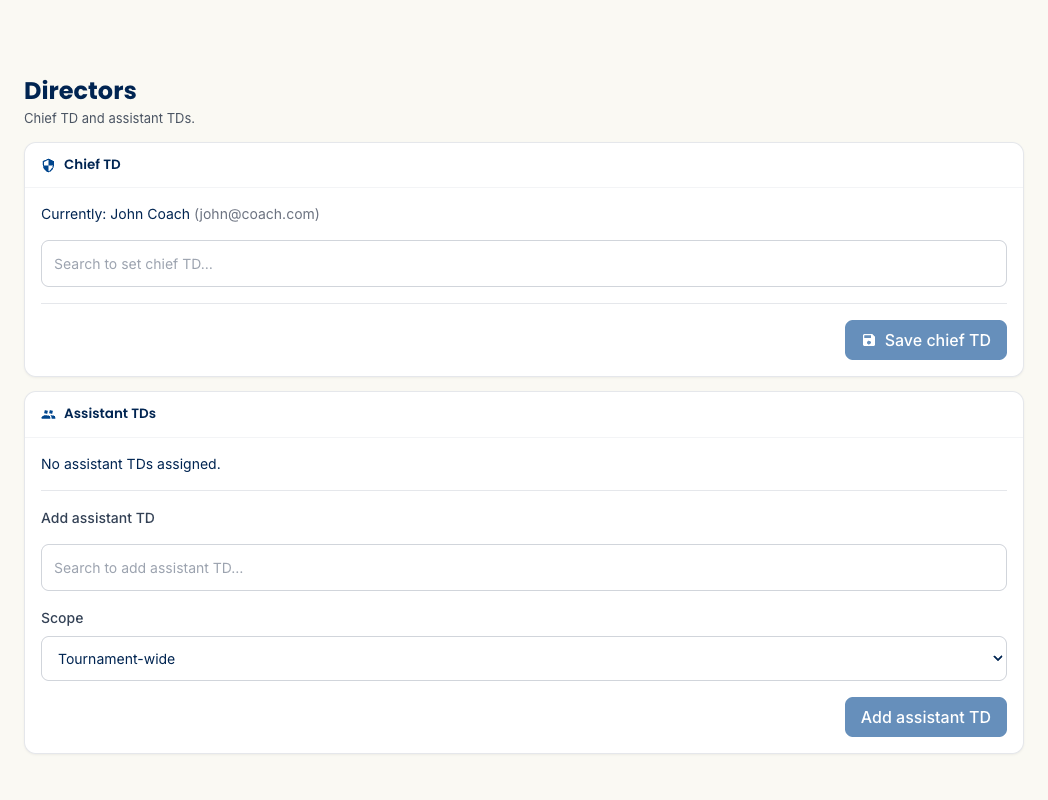
To let someone else pair rounds and enter results without making them a club admin, go to Settings → Directors, search for the member, and add them as an assistant. You can scope an assistant to a single section or give them the whole tournament — so a section chief runs just their room, while a co-director covers everything.
Who can do what
The split is deliberate, so nothing high-stakes happens by accident:
- Assistant directors can pair rounds and record results — the day-of work that benefits from extra hands.
- The chief TD keeps the two irreversible controls: publishing a round (which posts pairings and notifies everyone) and changing tournament settings.
What’s next
- Set up a tournament — where directors get added, alongside sections and pricing.
- Run your event, round by round — the work your assistants will be doing.
Questions? The FAQ has answers, and support@rookready.com is always open.
Updated July 13, 2026