
Every piece your club needs.
Members, events, attendance and announcements for every week your club meets — plus rated tournaments in eight formats, Swiss through knockout, with USCF & FIDE reports, team events, and a full audit trail, when you run one.
If your club runs on a spreadsheet, a group text, and separate pairing software for the rated events — we built this for you.

Members
Member Management
Keep your club organized with powerful member management tools.
Member Profiles
Store detailed member information including contact details and membership status.
Custom Fields
Add club-specific fields like USCF ratings, skill levels, preferred time controls, emergency contacts, or any data you need. Up to 5 on Pawn, unlimited on Rook.
Contact Management
Link parents, guardians, and other contacts to members. On the web, a guardian can switch to their child in the club switcher to RSVP or check them in to a club night, and can see the child's club rating and any TD certification on file. Perfect for youth chess programs.
Club Rating
Turn on your club's own Elo rating and it is calculated from the games played at your club. Choose the K-factors and starting rating, decide whether members see each other's ratings, and correct a rating with a reason when you need to.
Member Invitations
Invite new members via email. They receive a personalized welcome and can set up their profile immediately.

Events
Event Scheduling
Plan and manage all your chess club activities in one place.
Standard Event Types
Every club starts with Meetup and Tournament ready to use — add lessons, practices, workshops or anything else your club runs.
Custom Event Types
Define your own event types — match what your club actually runs. Included on every plan.
Event Registration
Enable online registration with capacity limits. Members can RSVP with Yes, Maybe, or No.
Recurring Events
RookSet up event series for weekly lessons or monthly tournaments that automatically repeat.
Club Nights
RookSwitch on pairing for a one-off or recurring event and it becomes a club night: members check themselves in, walk-ins join the next round, and you pair, score, and finish from one Tonight screen on the web or in the app. Included with Rook tournaments.
Location & Details
Add venue information, descriptions, and any special instructions for your events.
Attendance
Attendance & Tracking
Never lose track of who attended your events.
Attendance Recording
Mark members as Present, Absent, Late, or Excused. Quick bulk actions for efficient tracking.
Attendance History
View past attendance for any event, right on that event's page.
Attendance Report
A club-wide report of how often each member has come, filterable by date range, series, event type, or a single member, with CSV export. Included on every plan.
Sold? Get back to running your club.

Communication
Communication
One place you send from, one place they read — and a real answer to "I never got that."
Updates — One Inbox, Every Club
Your members do not have four places to check. Club announcements and messages from a tournament director land in a single list, newest first, across every club they belong to — the same merged inbox on the web and in the phone app, with unread marked in both and an unread count on the Updates link on the web and the Inbox tab in the app. On the web it is called Updates and adds the housekeeping: Mark all read for the week they ignored you, and an Archived tab for the ones they have dealt with.
Announcements
Send club-wide announcements with a rich text editor. Add links and formatting. Let recipients reply — on the web the reply box opens right on their copy in Updates, and answers come back to you alone, never to the whole club — and ask for acknowledgement on the ones you mark High or Urgent, so you can see who has actually seen it.
Confirmed Addresses, Delivered Mail
RookSigning up asks you to confirm your address, and so does entering yourself in a tournament with an address we have never seen before — because a club's broadcast only goes out to addresses somebody has actually confirmed. That is what keeps your club's mail out of spam folders. Where somebody else typed the address — a director adding a walk-in, an admin importing a roster, a captain rostering teammates — we do not mail a stranger to ask. That introduction is theirs to make, not ours.
You See Who Did Not Get It
RookWhen an address has never been confirmed, has bounced, or has opted out, that recipient is held back — and your club dashboard says so by name, grouped by reason, because an unconfirmed address is worth chasing and a bounced one is a different errand. Silence stops being something you find out about in the car park.
Email Notifications
Automated emails for event reminders, registration confirmations, and welcome messages.
Custom Email Templates
RookCustomize your email templates with your club's branding and messaging.
Targeted Messaging
Send announcements to your entire club, a hand-picked set of members, or a saved Member Group — a reusable manual list or a self-updating filter by age band, membership status, club-rating range, or how many events someone attended between two dates.

Reports
Club Reports
Four glance KPIs on one page, and eight drill-in reports built from your club's own events and roster — no spreadsheet exports to stitch together.
Club-Wide KPIs
RookActive members, attendance rate, check-ins, and fees collected — the four numbers you'd otherwise dig for, on one overview page that says how recent its data is.
Attendance & Participation
RookAverage attendance rate by week, and which event types your check-ins actually come from, over the last 90 days.
Member Growth & Retention
RookWho joined and who left by month, and how many members from a recurring series are still showing up, week over week.
Ratings, Registrations & Payments
RookMedian club-rating movement over the year, submissions across your open and recent registration forms, and fees collected by month.
Tournament Results
RookPlayers per tournament across your last 12 months of rated events.
CSV Export, Every Report
RookEvery drill-in exports the exact table on screen to CSV — no second export that can disagree with what you were just looking at.
Tournaments
Rated Tournaments
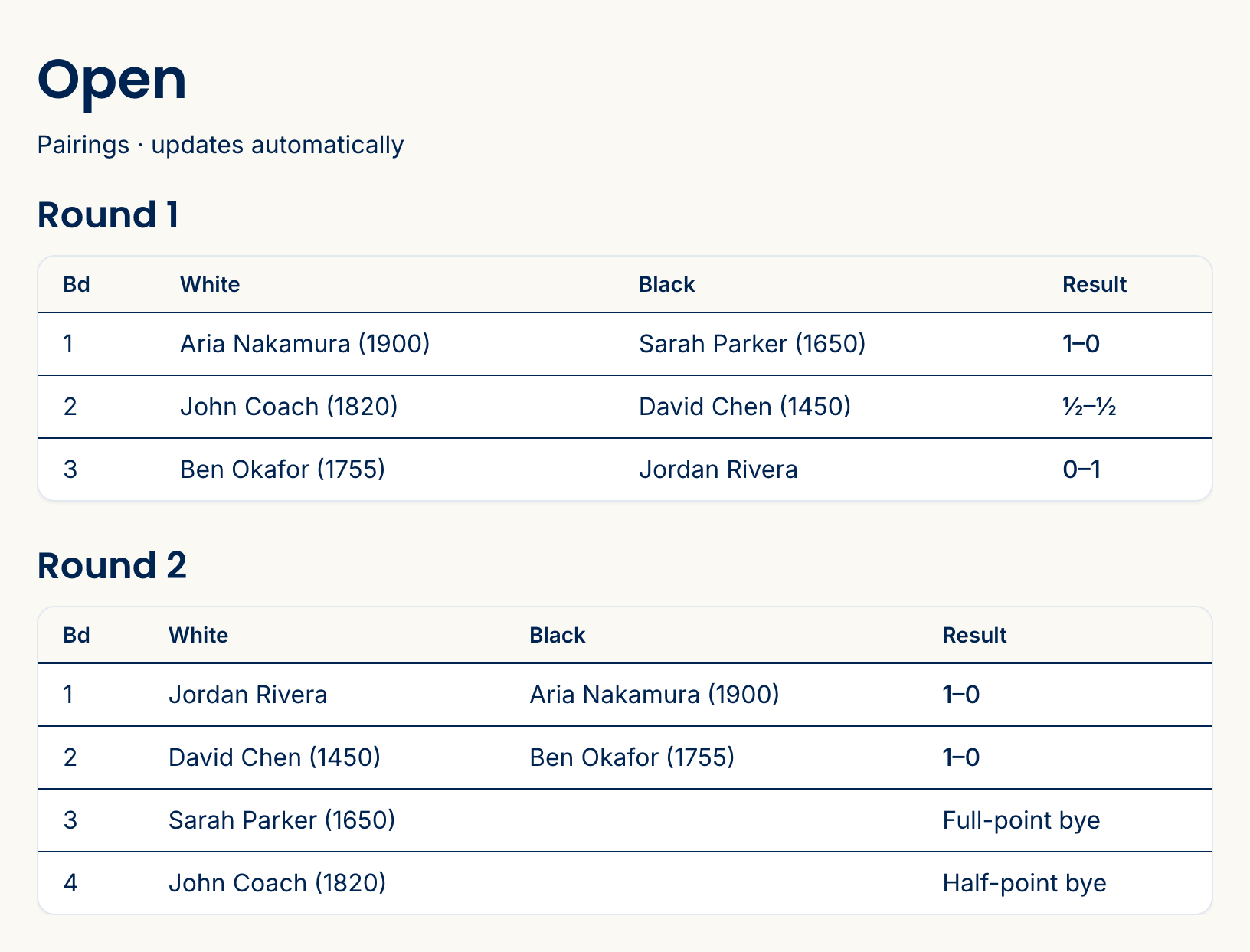
Run a rated event end to end — Swiss, round-robin, quads, Holland, or a knockout bracket — from open registration to the USCF and FIDE reports, on the roster you already have. The full tournament module is part of the Rook tier, and there is a 14-day free trial — one per person, across every club you create.
Eight Pairing Formats
Swiss, Double Swiss, Round Robin, Double Round Robin, Quads, Holland, Unbalanced Holland, and single-elimination Knockout — set per section. A Holland section splits the field into preliminary round-robin groups, with standings per group and the qualifiers for the final listed once the groups finish. Knockout runs best-of-N matches with an automatic rapid → blitz → Armageddon tiebreak ladder and a live bracket. The engine handles colors, score groups, and look-ahead; you review before you post.
Live Standings, Wallchart & Cross-Table
Results roll into standings as you enter them, with the full USCF tie-breaks computed automatically. Players and parents follow the live standings, wallchart, cross-table, or knockout bracket from their phones — and search for their own board — no login required.
USCF & FIDE Rating Reports
When the event closes, one click builds both a USCF .txt and a FIDE TRF16 from the results you already entered — no hand assembly. Each section reports under its own rating system (Regular, Quick, Blitz, or Dual). Your chief TD's certification is pulled straight from US Chess and checked before the report builds, so a lapsed credential surfaces while you can still fix it.
Online Registration & Entry Fees
Players sign up through a form that captures USCF ID and section, with members pre-filled. Take entry fees by card (Stripe), at the door, or an external link — with early-bird pricing tiers or entry-fee categories that charge different groups of players different fees, promo codes that discount either, and refunds. Already have a roster in a spreadsheet? Import it: pick the section, upload the file, and US Chess ratings are pulled in for anyone with an ID. Export it back out whenever you like — the file you download is the same shape you can re-import. That's tournament entry — your club's own Registration Forms can separately charge a one-time membership fee on a sign-up form, collected at application or on approval.
Accessibility Seating — Automatic
Players flag what they need at registration (step-free table, near an exit, quiet area, large-print or raised board). You mark which of your tables have which facilities. Then every round, the engine automatically seats accommodated boards at a table that meets their needs and prints it on your pairing sheet. Board numbers never move, and a table you set by hand is never overridden.
Team Events
Team sections on any pairing format, with captain registration, a free-agent pool, board order by rating, and team standings by match then game points — individual board results roll up automatically.
Adjust Pairings & Corrections
Misread a scoresheet? Reopen the round, fix it, and re-pair from the corrected standings. Reshape a whole round with a drag editor and a review step. Every change is accountable.
Full Audit Log
A complete history timeline records every pairing, result, correction, and bye — who did it, when, and the before-and-after — filterable to a single player. The record most tools don't keep.
Tournament-Wide Prizes
Place, class, and special prizes resolve from the final standings — scoped to a single section or run tournament-wide across every section, with a merged overall-standings page.
Announcements & Messaging
Send tournament announcements to entrants — scoped to sections, sent now or scheduled — and message an entrant or their guardian directly, with replies threaded to their entry. Both land in the same Updates inbox your players already read, on the web and in the app, so a round delay does not depend on anyone refreshing their email.
Tournament Director Roles
Hand a director the keys to run rounds without making them a club admin — scoped to one section or the whole event. The people at the board get exactly the access they need.
Pages for your situation
Tournament software · Chess club software overview · For school chess programs · Parent portal · vs. SwissSys · vs. ChessNut · vs. Spreadsheet · For ChessKid coaches
Ready?
Run your club without the spreadsheet.
Free for clubs up to 30 members. No credit card.